Leaving Messenger and WhatsApp: settling into Matrix
contents
3 sections
Why?
WhatsApp & Messenger — I've been using both for years. From the app store on my Fairphone, I can see each app's privacy score:
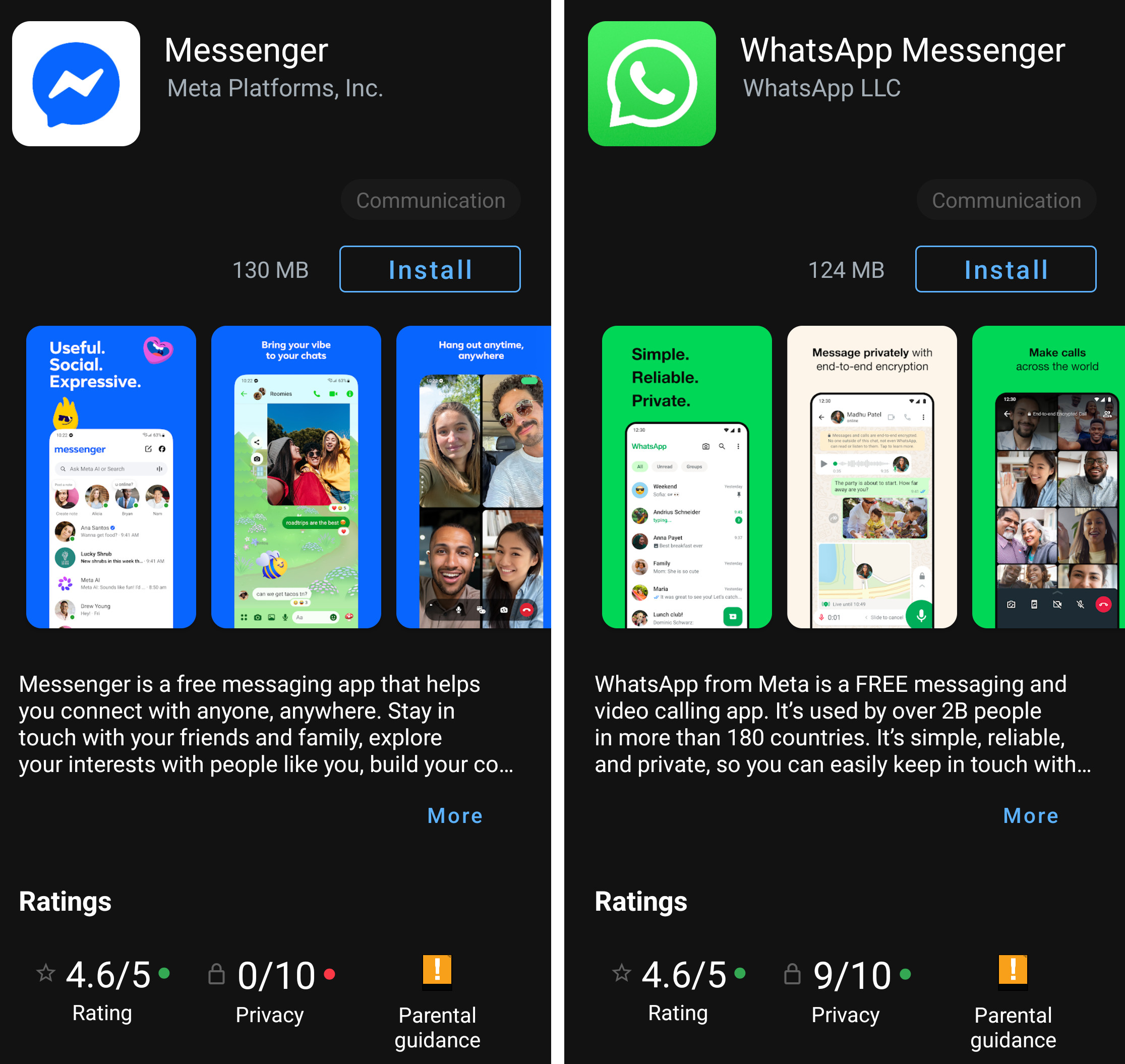
Messenger: 0 out of 10, because of all the trackers it pulls. WhatsApp: 9 out of 10, no trackers, almost perfect.
For Messenger, with a score like that, the decision makes itself.
Why leave WhatsApp too? It's more subtle. My messages are all nicely encrypted, secured, protected. But the rest — the data around my messages: who writes to whom, when, how often, from which IP, which phone numbers — all of that goes to Meta. And for anyone who knows how to read it, that already says a lot (too much) about my life. Without reading a single message; just knowing that someone calls their doctor every Tuesday at 6pm, or messages the same person ten times a day for six months — WhatsApp maps the daily life of 2 billion people.
The opaque handling of this "metadata" also earned WhatsApp a hefty fine of around 225 million euros in 2021.
(and WhatsApp couldn't care less; nothing has changed since.)
Beyond all that, there's something simpler: these apps belong to Meta. And these days, there are certain houses where I just don't want to leave my keys anymore, even for free.
The Matrix alternative
Matrix is something else compared to the better-known Signal or Session, because it isn't an application — it's a protocol. A bit like email: the Matrix protocol lets you pick from a wide range of apps to use it.
Matrix is open source, and any server can host it. The protocol has been adopted by several states for their own sovereign messaging: France with Tchap, Germany, Belgium, the European Commission. All told, over twenty countries to varying degrees. So it's not a tool that could fall overnight: it's a standard backed by a solid ecosystem.
The Signal app is technically solid on encryption. But it requires a phone number, which puts me off a bit. And there's no way to host your own Signal server; it's a centralized American structure, at the mercy of a legal framework that can harden at any moment.
As for Session, it's more subtle. When it comes to actually protecting private data, it's the best there is. But the ecosystem is concentrated: a single official client (imagine if there were only one email app in existence) and, above all, a single team behind it. If the team stops, the tool stops.
Out of the three, Matrix is the one that leaves me the most choice — and reassures me I won't have to switch again for a (very) long time. That's what made up my mind.
How to use the Matrix network?
So this tool doesn't stay just among geeks, I put together a little guide for our loved ones (parents included ;) ).
Plenty of client apps run on Matrix — there's something for everyone. I went with Element X, the closest thing to the WhatsApp experience. The install plus account creation is pretty simple.
Install the Element X messenger (~5 minutes)
[1] Download the app: look for Element X  on the App Store (iPhone) or the Play Store (Android). Make sure you grab Element X, not plain Element. (Element X is the modernized version of Element)
[2] Open Element X and create an account: on first launch, the app prompts you to create an account. Leave the default server (matrix.org), pick a username and a password.
[3] Your address is born: @yourhandle:matrix.org, just like an email address, with matrix.org instead of gmail.com, for instance.
[4] Save your recovery key: the app offers you one. Write it down somewhere safe (a small notebook, for example) — it'll save you if you ever lose access to your account.
[5] Find your address to share your account: once in the app, tap the profile icon at the top and your address will appear.
[6] First contacts, your choice:
- - share your address with the person who brought you onto Element X; they'll invite you and walk you through.
- - start on your own: tap the new message icon and type in your contact's address.
[7] (Optional) Enable notifications under "settings" then "notifications" (otherwise you might miss your messages).
And there you go, your messenger's ready. Poke around, try it out; it feels a lot like WhatsApp, you'll get the hang of it fast.
Bonus: on my PC I can connect to one of Matrix's many web clients, like app.element.io. No new account needed, a browser is enough. Handy for typing on a keyboard when I'm at my desk.